HitchDays
In one sentence
HitchDays keeps your rotation on your iPhone and turns it into a days-until-home countdown, a colored month calendar, widgets, and pictures or calendar events you can send to the people at home.
The countdown
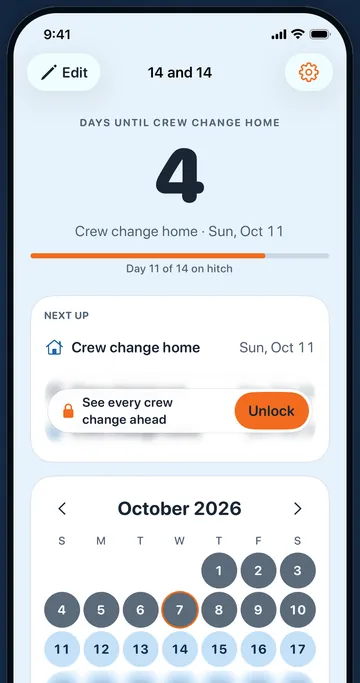
The first screen is the number of days until you're home, or until your next hitch when you're already home, with the date and the day of the stretch under it. Read how the countdown works.
- Days until home or until hitch Free. Turns over at midnight. Example: day 9 of a 14 and 14 shows 6.
- Countdown words Free. Home and hitch, day off and work, crew change home and crew change out, or "They're home" for the person keeping track from home.
- Next up. Your next three changes between hitch and home. The first is free Free; the two after it come with Pro Pro.
- Small Home Screen widget Free. The countdown without opening the app.
- Medium widget and Lock Screen widgets Pro. The medium one adds your next three changes.
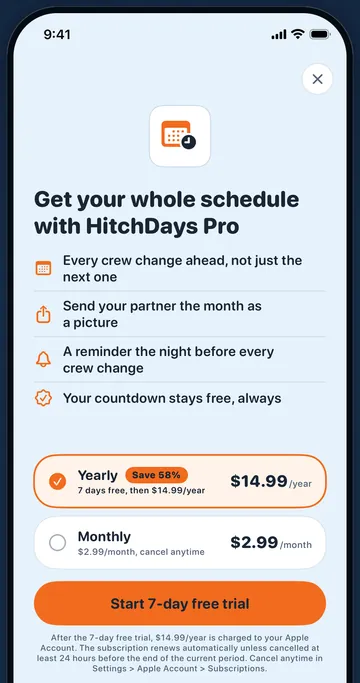
- Evening-before reminders Pro. A notification at 6 pm the evening before each of your next 12 changes. Off until you turn it on.
The rotation calendar
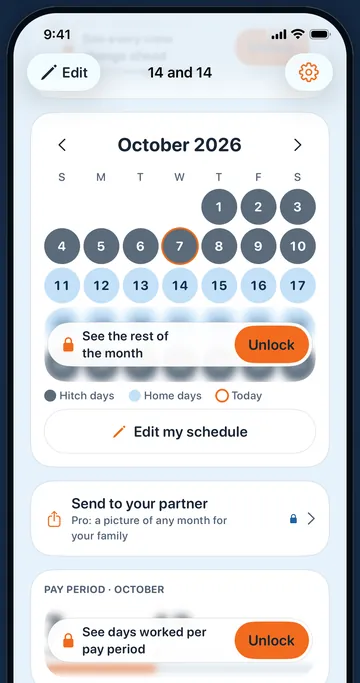
Every day of the month colored by your rotation: hitch days in slate, home days in sky blue, today ringed in orange. See the patterns and the editor.
- Any pattern Free. 14 and 14, 14 and 21, 28 and 28, 7 and 7, 4 on 4 off, 2 and 1, any days on and off from 1 to 120, or a weekly schedule with fixed days off and a rotating weekday.
- Edit my schedule with a live preview Free. The next 14 days redraw as you change the pattern or the First hitch day, with a plain sentence like "Today is a hitch day. Home Tuesday, Oct 13."
- This week and next week Free. The rest of the month and every other month are shown blurred until you have Pro Pro.
- More than one rotation Pro. Two jobs, or your rotation and your partner's, each with its own name.
- Days worked this month Pro. So far and by month end, for checking a pay period.
- Hitch day colors. Slate is free; rust, pine, and plum come with Pro Pro.
Sending it home
Three ways to get your dates to the people waiting, one of them free. Read about sharing with family.
- Their own countdown Free. Your partner installs HitchDays, enters the same rotation, and picks the words for the one at home.
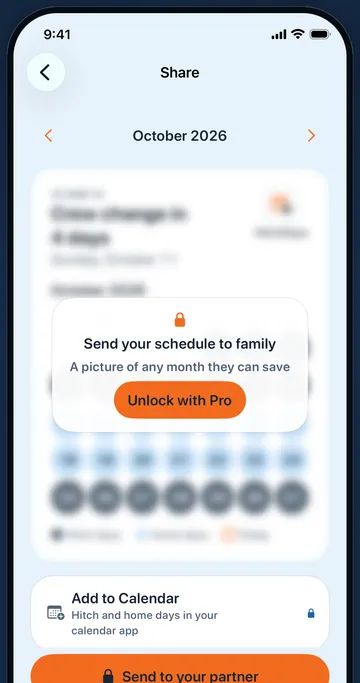
- A picture of any month Pro. Made on your iPhone and sent from the share sheet to Messages, the family chat, or Mail.
- Add to Calendar Pro. Your next 12 changes between hitch and home as all-day events in the iPhone Calendar app, with write-only access.
What HitchDays does not do
- It does not connect to your employer, crew scheduler, travel desk, or the Postal Service, and it does not hear about holdovers or weather delays.
- It does not sync between phones. There is no account and no server holding your rotation.
- It does not plan a crew or a team, track hours for payroll, or book travel.
- It runs on iPhone only, iOS 17 or later.
Screens